

Important Trilogy Evo Safety Update: New Guidelines for Your Ventilator
Posted On: March 9, 2026
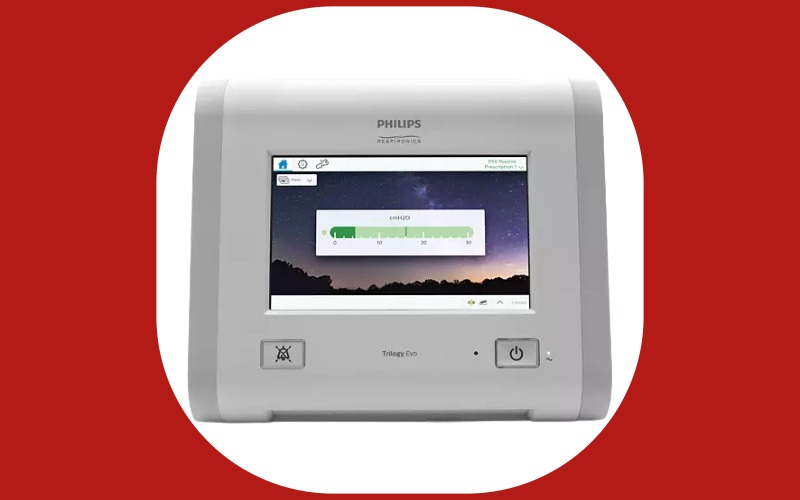
At Binson's Medical Equipment & Supplies, we are committed to your health and the reliable performance of your equipment. We are sharing an urgent Trilogy Evo Safety Update from Philips Respironics regarding the Trilogy Evo platform, which includes the Trilogy Evo, Trilogy Evo O2, and Trilogy EV300 ventilators.
Philips has identified new safety information and released a mandatory software update to ensure your device continues to function correctly. Please review these changes to your daily care routine to ensure the safety of all people using these devices.
1. Important Change: Stop Using Non-Pneumatic Nebulizers
Effective immediately, Philips is prohibiting the use of non-pneumatic nebulizers (such as vibrating mesh nebulizers) with all Trilogy Evo platform ventilators.
The Risk
These specific nebulizers add liquid droplets that can accumulate on the ventilator’s internal airflow sensors. This buildup may cause the device to deliver less air than prescribed, even if the screen appears to show normal operation.
What to Do
Only use "pneumatic" (air-driven) nebulizers. Ensure they are placed only in the specific positions recommended in the updated manual addendum.
2. Mandatory Software Update (Version 1.05.15.00)
A new software version (1.05.15.00) has been released to address two critical safety issues:
- Faster Obstruction Alarms: The update ensures that if a breathing tube becomes blocked, the "Obstruction" alarm will trigger much faster—within two breaths or five seconds.
- Better Sensor Management: This update improves how the device manages potential medication buildup on internal sensors.
3. Updated Cleaning and Filter Requirements
How to Get Your Software Update
If your device has not yet been updated to version 1.05.15.00, please follow these steps:
- Check Your Version: Go to the Options menu (wrench icon) and select Information.
- Contact Our Support Team: If your version is not 1.05.15.00, call Binson's at 1-888-217-9610.
For technical assistance from the manufacturer, contact Philips Respironics at 1-800-722-9377 (option 2).





0 comments